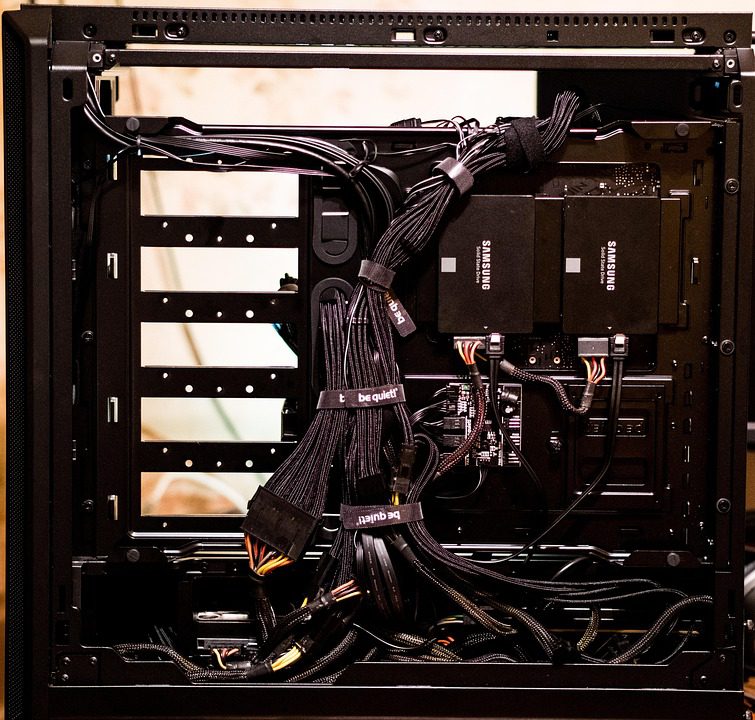
Windows Server 2022 Standard licensing is sold in two-core packs, and on a typical 16-core dedicated server in India you need eight of them — roughly ₹25,000–₹40,000 per year on top of a rental that already runs ₹8,000–₹20,000/month. Microsoft ended support for Server 2012 R2 in October 2023, so any provider still offering 2012 R2 images is handing you an unpatched box with known remote-code-execution vulnerabilities. Budget for the operating system before you budget for the hardware.
That licensing layer is the main reason two quotes for “identical” servers can differ by 40%, and it is the first thing to isolate when comparing vendors. Our comparison table lists providers with and without OS licensing included, so you can compare dedicated server plans side by side before you start negotiating with a sales representative.
What Windows Server licensing costs on a dedicated box
Windows Server 2022 Standard includes two virtual machines per licensed host when all physical cores are licensed; Datacenter removes the VM cap. Since pricing is per core, a 16-core machine means eight two-core packs under either edition. Typical Indian street prices look like this:
| Component | Licensing model | Typical price (INR) |
|---|---|---|
| Server 2022 Standard, 16-core (8 × 2-core packs) | Perpetual + Software Assurance | ₹1,30,000–₹1,60,000 one-time |
| Monthly OS rental via hosting provider | SPLA | ₹2,500–₹5,000/month |
| RDS CAL per user (Remote Desktop Services only) | Per user | ₹3,500–₹5,000 each |
SPLA — renting the license monthly through the host — is almost always the right choice on a leased box. It avoids the upfront outlay, and the license dies with the server, which is exactly what you want when the hardware is not yours. One warning: some providers quote “Windows included” pricing that actually means a trial or a downgraded edition. Ask for the exact edition and licensing model in writing, and verify the license key activates against Microsoft’s servers. If the provider hesitates to state the edition, treat it as a red flag — unlicensed Windows installs fail activation after a grace period and can shut down a server mid-operation.
Data center locations and latency in India
The four cities that matter are Mumbai, Delhi NCR, Bangalore, and Chennai. Mumbai anchors the submarine cable landings (including the i2i and Bay of Bengal Gateway systems) and therefore has the best international routes; Delhi NCR is the political and administrative hub with strong domestic peering; Bangalore hosts the largest concentration of SaaS and gaming companies; Chennai is the gateway for South India and Sri Lanka. For a game server, the difference between a Mumbai and a Bangalore host for a Delhi-based player base is roughly 15–20 ms of added round-trip time, which is noticeable in fast-paced titles.
Mumbai carries most of India’s international bandwidth, with submarine cable landings at Mumbai and Chennai, so it is the default choice for servers serving players or customers across India and the Middle East. Delhi NCR and Bangalore have strong domestic peering; Chennai matters for South India and Sri Lanka. A server in Mumbai reaches Delhi in roughly 25–35 ms and Chennai in 15–20 ms, while a Bangalore box adds 10–15 ms for North Indian users. Match the city to your user base rather than to wherever the cheapest quote comes from.
Hardware specs that matter for Windows workloads
Windows Server idles at 2–3 GB of RAM before you load anything on it, so the 8 GB configurations some budget providers advertise disappear quickly. For a Windows box you plan to actually use:
- RAM: 32 GB minimum; 64 GB if you run SQL Server or multiple game-server instances
- Storage: NVMe in RAID-1 for the OS and saves; SATA HDD is a false economy for any database or game workload
- CPU: 4+ cores at 3.5 GHz or higher for single-thread-heavy game servers; 8+ cores if you plan to virtualize
- Network: 1 Gbps unmetered or 10 Gbps metered; confirm whether the provider shapes bandwidth after a threshold
Remote management: RDP, IPMI, and what to insist on
Exposing RDP directly to the internet on a public IP is how Windows boxes end up crypto-mined. Indian providers usually include IPMI or iDRAC out-of-band access at no charge — insist on it, and use it to reach the machine even when the OS is down. Put RDP behind a VPN or IP allow-list, enable Network Level Authentication, and change the default Administrator password on day one. Also disable the built-in Administrator account’s remote logon rights once your daily-driver account exists, and set Windows Update to a maintenance window so reboots do not interrupt a game server at peak hours.
Backup and restore commitments
Ask what backup is included before you pay: many providers quote “free backups” that turn out to be a single weekly image on the same disk array. That protects you from a deleted file, not from a failed RAID controller. A usable policy is nightly off-server images with 7–14 days of retention and a documented restore drill. If the provider cannot show you the restore procedure, plan to run your own off-site backup — nightly rsync to object storage is cheap — from day one.
Once you have a shortlist, see the full specs in our provider table and check which vendors include licensing, IPMI, and off-server backups in the quoted price. Those three line items are where Indian hosting quotes hide their real cost.
If you want a quote where hardware and licensing are priced transparently, browse the current InterServer dedicated server lineup — their configurator shows per-core Windows pricing up front, which makes the comparison exercise above much easier.
Related Articles:
 Scoring Game Hosts by Hardware, Not by Price: Specs That Map to Minecraft, ARK, Palworld, and Rust
 Dedicated Server vs Cloud Hosting for Game Launches: Handling Massive Player Spikes Without Lag
Dedicated Server vs Cloud Hosting for Gaming: Which Delivers Lower Latency in 2026
Dedicated Server for Video Encoding and Transcoding: NVENC vs Quick Sync vs CPU
Dedicated Server vs Cloud Hosting for Game Launches: Handling Massive Player Spikes Without Lag
Dedicated Server vs Cloud Hosting for Gaming: Which Delivers Lower Latency in 2026
Dedicated Server for Video Encoding and Transcoding: NVENC vs Quick Sync vs CPU
Leave a Reply
You must be logged in to post a comment.