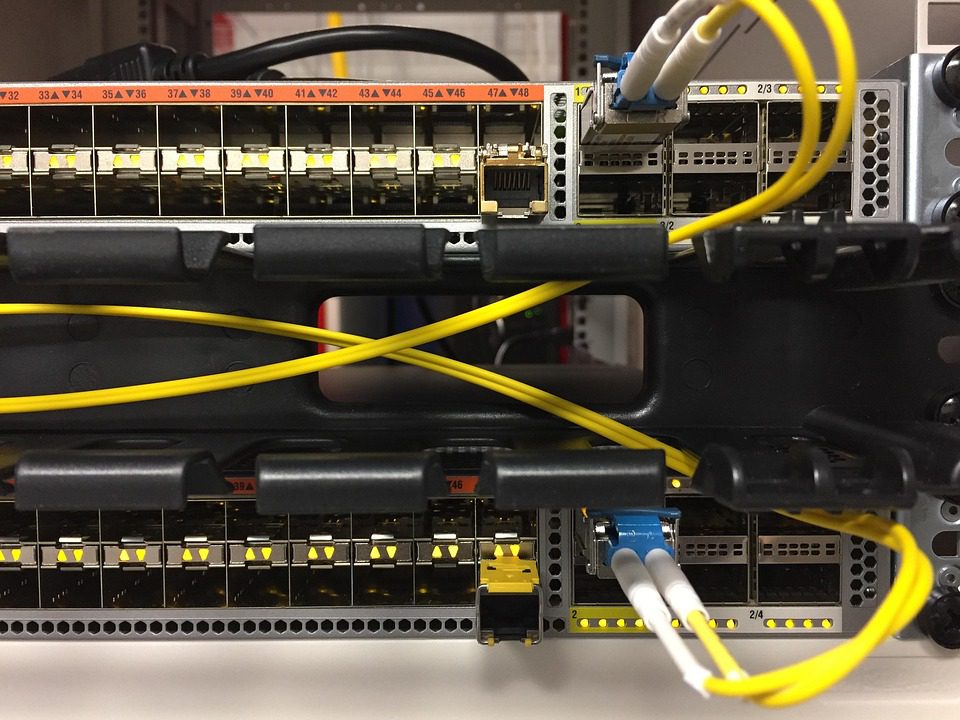
Every game server operator eventually faces the same question, and it is rarely “do I need mitigation”. The real question is which mitigation model is sitting in front of the box, and what it does to ping and to the invoice when a flood arrives. Capacity banners (“10 Tbps!”) describe a provider’s ceiling, not the behaviour your players experience on a Tuesday night. If you are still choosing where to run the node, start with the dedicated server hosting plans and treat the filtering model as a separate decision from the hardware.
The Four Models, Defined by Traffic Path
The models are distinguished by where packets go, not by what filtering technology is bolted on. That path determines whether you pay latency on clean traffic, only under attack, or not at all because the box is simply offline.
| Model | Traffic path on a clean day | Traffic path under attack | Measured added RTT | Cost shape |
|---|---|---|---|---|
| Always-on inline | Through the provider’s inline filter appliance | Same path, rules already loaded | 0.4-2.5 ms | Flat, usually unmetered |
| On-demand BGP divert | Direct to your IP | Whole /32 announced at a scrubbing POP | 0 ms clean, 15-45 ms under attack | Flat, sometimes per-incident |
| Off-premise tunnel | GRE/IPsec tunnel to scrubbing centre | Same tunnel, larger filter set | 8-30 ms always | Per-Gbps or committed rate |
| Null route (no mitigation) | Direct to your IP | Destination blackholed for 1-24 hours | N/A, server unreachable | Free |
The on-demand row is the one that catches people. The clean-day number is genuinely zero because nothing touches your packets. The under-attack number is the problem: BGP convergence plus a new path through a POP that may be 1,500 km away turns a 28 ms match into a 70 ms match exactly when players are already frustrated by the attack.
Measuring Scrubbing Latency Properly
Provider marketing quotes round-trip numbers from their own POP. That is not what you need. What matters is the delta between your baseline and the filtered path, measured with the same tool from the same vantage points. Run this before you sign anything.
# Baseline from three regions, 200 probes each
mtr -rwzbc 200 -P tcp -P 25565 play.example.net

# Compare MTR hop count and latency at hop N-1 vs N
# A jump of >3 ms at the appliance hop is the real inline penalty
for ip in 51.x.x.10 193.x.x.22 45.x.x.7; do
  ping -c 100 -i 0.2 $ip | tail -1
done

# Game-level check: sample server tick/round-trip, not ICMP
# (ICMP is often deprioritised and lies about game latency)
Two numbers matter from that output. The median shift tells you the cost of always-on filtering; a well-placed inline appliance adds under 1 ms because it is in the same facility as your server. The tail shift (p95 and p99) tells you about buffer state under load; if p99 degrades above 8 ms on clean traffic, the appliance is queueing and will collapse under a real flood.
The Cost Models and Who Controls the Bill
Pricing splits three ways, and the difference is not the size of the number but who decides how often you pay.
- Included, unmetered. Flat monthly fee, no attack billing, no overage. Predictable. The provider’s risk is a sustained attack; yours is zero.
- Included with a cap. Flat fee plus per-Gbps-hour overage above a threshold. Workable if you read the threshold, dangerous if the cap is 5 Gbps and floods in your region run at 40.
- Per incident or per Gbps. Each engagement is billed. This hands the attacker direct control of your monthly cost; two 20-minute floods a week can double a mid-tier invoice.
A rough working figure: at $0.05 per Gbps-hour, a 3-hour 20 Gbps attack costs about $3. A single 24-hour 20 Gbps event costs $24. Neither sounds fatal until you learn that some campaigns run for weeks against the same target, and that a competitor or a banned player can iterate for free. If mitigation engagement is metered, model your worst case at 40% of the month under attack and see if the number still works.
False Positives: The Measurement Nobody Publishes
Filtering collateral is invisible in a clean-traffic benchmark and expensive in production. The useful metric is not “false positive rate” in the abstract but legitimate packets dropped per hour of attack, expressed against a known baseline. You can approximate it yourself without the vendor’s internals.
# On the game node, count inbound vs. accepted packets during an attack window
# Baseline clean ratio for a typical survival server: <0.2% unmatched
nstat -az | egrep 'IpInReceives|TcpInSegs|UdpInDatagrams|IpInHdrErrors'

# Per-second drop visibility
watch -n1 'netstat -su | egrep "(packet receive errors|incoming packets delivered)"'

# Application-level truth: join attempts vs. successful sessions in the same minute
grep "joined the game" logs/latest.log | wc -l
If a 10 Gbps UDP flood leaves your join success rate at 94% of the prior hour, the filter is calibrated. If it drops to 70% while bandwidth is comfortably within capacity, the filter is dropping valid game payloads and you are paying for a defence that also attacks you. Legit-traffic loss during a flood is the number to argue about in a renewal call.
Where Each Model Fits Game Workloads
Twitch shooters and competitive lobbies feel latency before they feel anything else: always-on inline wins because it keeps jitter flat, and a sub-millisecond appliance is invisible. Large survival communities with more tolerance but frequent attacks can accept the tunnel model if the POP is close. Small private servers with no public listing can skip all four and rely on architectural concealment, since the IP is never advertised. The model should follow the game’s sensitivity to p95 latency, not the price list.
Questions That Separate Real Mitigation from Marketing
- Is filtering inline and always-on, or does it require a BGP change?
- What is the pps ceiling, and at what rate does the appliance start shedding?
- Can I see per-IP drop counters during an attack, or only a status page?
- Are game protocols profiled (source-validated UDP, session-aware filters) or is it generic stateful inspection?
- Is a null route ever the first automated response? If so, at what threshold?
That last question is the fastest filter for providers. A host that answers volumetric pressure by taking the target offline at 2 Gbps has an automated process that will do it to you at 3 AM without a human in the loop.
On-Demand Is Not Always Wrong
There is a defensible use for on-demand diversion: cost-sensitive communities that are attacked once or twice a year, where a 30 ms spike during a rare event is preferable to paying for an inline appliance every month. The failure mode is a server that is attacked weekly, where the diversion cost (latency and possible per-incident fees) lands in every match. Decide based on your last 12 months of incidents, not on your optimism.
Whatever model you land on, measure it in your environment before renewal. Take the p95 and p99 delta on a quiet day, run one controlled test flood through a third party, and check legit-traffic loss during it. If a provider will not let you test, they are asking you to buy an unverifiable number. For a starting point on hardware that supports any of the four models, review the bare metal game server options, and treat the mitigation model as the first line of your specification rather than an add-on checkbox.
Related Articles:
 Minecraft Server Hardware Guide 2026: CPU, RAM, and NVMe Sizing for Vanilla, Modded, and Large Networks
 Dedicated Server vs VPS for Game Server Hosting: 2026 Cost Analysis with Real-World Performance Data
How Much RAM Does a DayZ Dedicated Server Actually Need? Real-World Usage Data and Recommendations
Enshrouded Server Specs: RAM, CPU, and Settings for Smooth 4–16 Player Sessions
Leave a Reply
You must be logged in to post a comment.