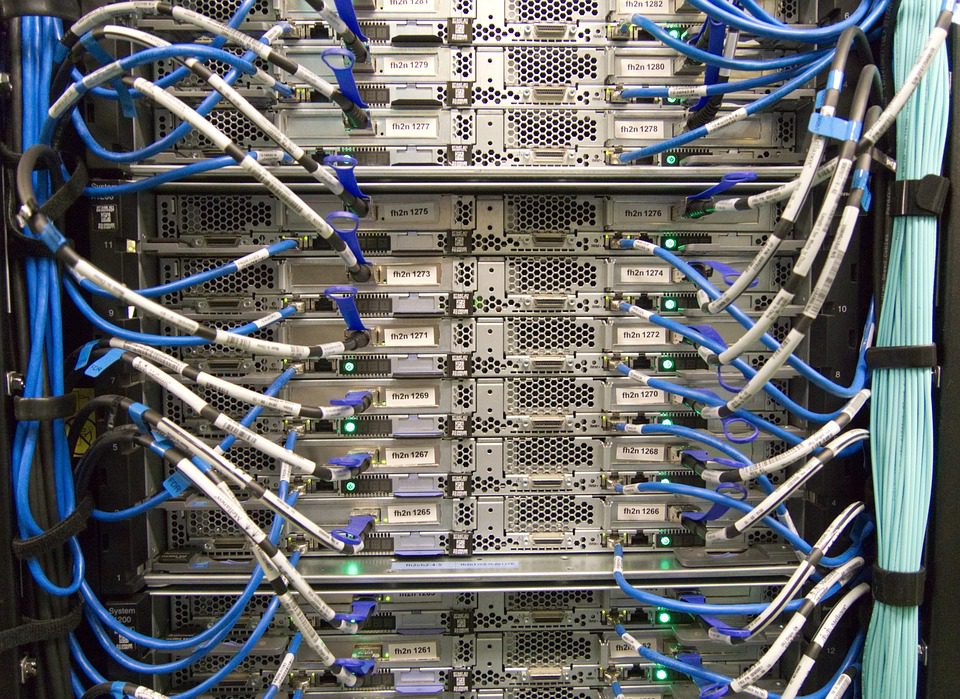
A 25 Gbit/s switch port is worth nothing if the port buffer is 1 MB and a 200-player server pushes a 4 MB burst of replication data at the tick boundary. The packets drop, clients retransmit, and the tick budget is gone. Buffer depth, interrupt placement and offload settings decide whether a rented game node feels smooth, and none of them appear on an order form.
This covers the network hardware layer of a game node: the NIC, the switch port, and the kernel path between them, on Linux with one or more instances behind a public address. Apply it after the hardware floor is confirmed, because no amount of NIC tuning rescues a 2.8 GHz sustained clock.
Port speed is not the constraint at game scale
A 64-tick CS2 server at 20 players moves 30-60 Mbit/s, a 200-player Rust node peaks near 300 Mbit/s during a wipe, and ten instances on one chassis rarely exceed 2 Gbit/s combined. Before you compare port speeds, the per-game bandwidth planning figures are the number to start from.
A 200-player survival server sending 40-byte updates at 30 Hz produces roughly 240,000 packets per second of egress, so a shallow port buffer drops before the link is 20% utilised. Size for pps.
| Scenario | Typical Mbit/s | Approx. packets/s | Practical port |
|---|---|---|---|
| Single 64-tick FPS, 20 players | 30-60 | 15,000-25,000 | 1 Gbit/s, 200 Mbit commit |
| 200-player survival node | 200-300 | 200,000-260,000 | 10 Gbit/s, 1 Gbit commit |
| 10 mixed instances on one box | 400-900 | 120,000-180,000 | 10 Gbit/s, 2 Gbit commit |
| Mod sync burst during update | peaks near link rate | low pps, large payloads | 10 Gbit/s, burst-tolerant billing |
NIC selection: queues, offloads and interrupt affinity
Choose a NIC with at least four receive queues per 10 Gbit/s port and RSS support, because a single-queue card pushes every packet through one CPU that competes with the simulation thread. A single-queue virtual NIC is one reason game servers stutter regardless of CPU.
Enable jumbo frames only where every device supports a 9000 MTU. Leave GRO and TSO on for bulk traffic, disable GRO on the game UDP socket if aggregated reads add delay, and keep checksum offload on since software checksumming at 250,000 pps costs a core.
Interrupt placement keeps the tick loop clean
On a 16-core box running one FPS instance, pin the game to cores 2-5, the NIC queues to 10-15, and leave 0-1 for kernel tasks. Otherwise interrupts land wherever the scheduler chooses and add 0.3-1.2 ms of jitter to the tick loop.
Read /proc/interrupts before and after, and check that irqbalance has not moved a queue back onto the simulation core. On busy nodes, disable it and pin manually. The commands below matter most.
ethtool -l eth0to list combined channels, thenethtool -L eth0 combined 8to raise queue count where supported.ethtool -S eth0 | grep -i dropto watch ring and queue drops during peak load.ethtool -G eth0 rx 4096 tx 4096to enlarge rings where driver memory allows./proc/interruptsplustasksetorsmp_affinity_listto pin each queue to a separate core.tc -s qdisc show dev eth0to confirm no fq_codel backlog builds on egress.
Switch and uplink choices for a rented node
You rarely choose the provider’s switch, but ask three questions: is the port dedicated or shared over a LAG, what is the per-port buffer size, and is traffic shaped or policed above the commit. Policing drops bursts while shaping queues them, so a policed 200 Mbit/s commit can be worse than a shaped 100 Mbit/s link.
On a 10 Gbit/s port with a 1 Gbit/s commit, ask what happens when you average 1.4 Gbit/s for a month. A 95th-percentile contract bills the percentile; a hostile one bills every gigabyte over commit at a high rate, which often costs more than the server differential between two providers.
Bonding modes and their latency traps
LACP bonding of two 10 Gbit/s ports gives 20 Gbit/s of aggregate throughput, but each flow stays on one link, which is fine across many players and useless for one large transfer. The larger risk is active-backup failover, where a dropped primary link reconnects every player at once.
Use LACP with a layer 3+4 hash, confirm both members negotiate, and watch per-slave error counters since aggregate counters hide a failing member. Ask for ports on different line cards so one card failure does not take the whole bond down.
Kernel and buffer settings that reduce drops
Default UDP receive buffers are too small for a busy node. Raise net.core.rmem_max and rmem_default to at least 8 MB and set SO_RCVBUF in the server config where exposed. A buffer that cannot hold one tick’s burst is the classic cause of lag that never shows on a bandwidth graph.
Raise net.core.netdev_max_backlog to about 8192 for 10 Gbit/s NICs, watch netstat -su for buffer errors, and size conntrack ahead of expected flows. Drops appear as buffer errors and InErrors in ip -s link, not as saturation. Our sysctl tuning notes for jitter list the values that confirm a fix and separate network faults from CPU faults.
A verification checklist for a new node
Run the checklist on a quiet node, then repeat it at peak. A network path that behaves at idle and collapses at 150 players is a buffer problem, not a bandwidth problem, and the counters below will show which layer is responsible.
- Link negotiated at the expected speed and duplex on every member, verified with
ethtool eth0. - Receive queue count matches the number of cores you intend to dedicate, confirmed with
ethtool -l. - No rx_errors, rx_dropped or miss counters incrementing over a 10-minute peak-load window.
- RTT to three player regions within 5% of a reference looking-glass measurement.
- Egress shaper not backing off:
tc -s qdiscshows near-zero drops and short queue delays.
Record the baseline once. When a community reports lag three months later, comparing current counters against the baseline tells you in minutes whether the provider changed the network path or you simply outgrew the commit.



Leave a Reply
You must be logged in to post a comment.