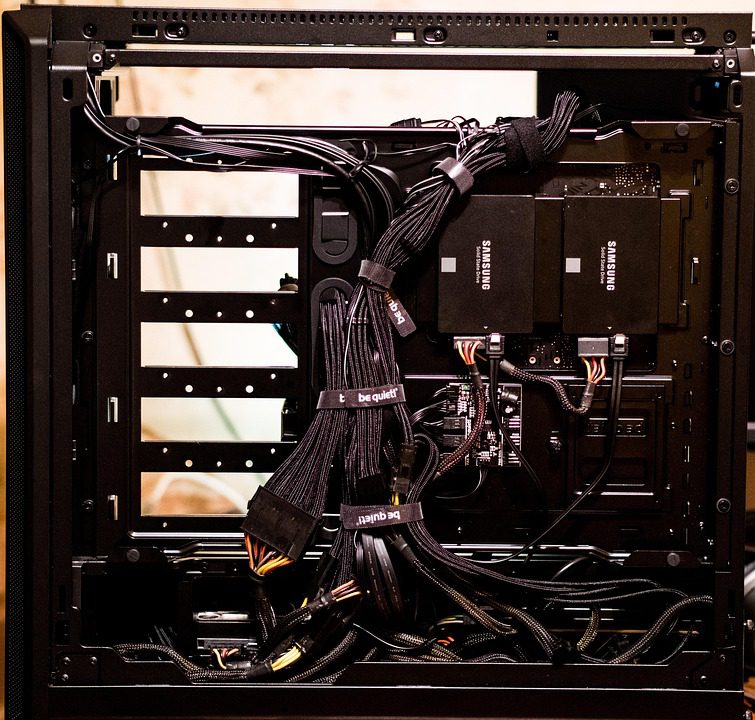
A freshly provisioned server can look perfect in the control panel and still ship you a 2.1 GHz engineering sample, a consumer QLC drive, or an uplink oversubscribed at the switch. The only way to know what you received is to run tests on the node itself, in a fixed order, against fixed thresholds, inside the cancellation window. The sequence below takes 30 minutes on a 32-core box and produces a go or no-go decision.
Run it from a temporary user account before you install any game software, so leftover services cannot pollute the measurements. Every step needs root or sudo, and every threshold assumes a dedicated machine rather than a VM. If you are still deciding where to run this, the dedicated hosting plans with full hardware disclosure are the ones you can actually test against a spec sheet.
Step 1: Confirm the silicon and the clock (4 minutes)
Start with what the OS sees. Run lscpu and check the model name, base frequency, and max MHz against the order page. Then run grep MHz /proc/cpuinfo | sort -u under load to see whether the advertised boost is reachable. A part advertised at 3.7 GHz that settles at 2.6 GHz all-core under a 10-minute load is thermally or power limited.
Pass condition: model string matches the SKU you ordered, all-core sustained clock is within 8% of the quoted base, and no cores are reported offline. Fail condition: a different SKU, a generic “AMD EPYC Processor” string with no model, or a 40% clock drop under sustained load. That last one usually means a 95 W cooler on a 225 W part.
Step 2: Single-thread and memory ceiling (7 minutes)
Install sysbench and stress-ng from the distribution repository. Run sysbench cpu --threads=1 run and note the events per second, then run the same with all threads. Compare the single-thread result to a published reference for that CPU family; a 20% shortfall indicates power limits or a noisy host.
- Single-thread: within 10% of the model’s reference score.
- All-core scaling: 8x or better from 1 to 8 threads on an 8-core slice.
- Memory:
sysbench memory --memory-block-size=1M --memory-total-size=100G runat ≥45 GB/s on DDR4-3200, ≥70 GB/s on DDR5-4800.
Then run stress-ng --cpu 0 --timeout 300s and watch sensors or ipmitool sdr. Package temperature above 92 °C or a throttle counter that increments is an automatic fail, because a game server runs at partial load for hours and thermal margin is the difference between 20 TPS and 17.
Step 3: Storage identity and QD1 latency (6 minutes)
Identify the drive with nvme list and smartctl -a /dev/nvme0. Check the model, the power-on hours (should be near zero), and whether the drive reports power-loss protection. A drive that has already logged 4000 hours was used for burn-in by someone else, which is fine, but a drive with reallocated blocks is not.
Then measure the metric that matters for saves: 4K random reads at queue depth 1. A consumer drive can post 5 GB/s sequential and still fail here by 15x, because save flushes are small and synchronous and never reach queue depth 32.
| Test | Command | Pass | Fail |
|---|---|---|---|
| QD1 4K read p99 | fio –rw=randread –bs=4k –iodepth=1 –numjobs=1 | <120 µs | >250 µs |
| QD32 4K read IOPS | fio –rw=randread –bs=4k –iodepth=32 –numjobs=4 | >400k | <200k |
| Sustained write | fio –rw=write –bs=128k –size=20G –runtime=300 | ≥900 MB/s flat | drops below 300 MB/s |
Sustained write behavior and the SLC cliff
The sustained write test catches SLC cache exhaustion: a consumer drive will show 2.5 GB/s for 30 seconds, then collapse to 180 MB/s once the cache fills. Autosaves on a 6 GB world hit exactly that wall, so a collapse here predicts a save freeze later, usually at the worst possible hour.
Check the SMART wear indicators at the same time: smartctl -A /dev/nvme0 reports percentage used and data units written. A brand-new drive should show 0% used and fewer than 100 GB written after burn-in. Anything above 3% used on delivery means the drive was previously in service, which is not automatically a fail but should be reflected in the price.
Step 4: Network baseline and uplink honesty (5 minutes)
From an external host in the target region, run iperf3 -c <node> -t 60 -P 4 in both directions and record the result. A “1 Gbps” port should sustain 940 Mbps. Then test with 8 parallel streams to look for per-flow shaping, which many hosts apply to hide oversubscription.
Also check ethtool -S eth0 before and after for CRC errors and discards, and ip -s link for drops. Any CRC error on a fresh machine means a bad cable or SFP, which is a support ticket now rather than a mystery in month three. Confirm the link speed with ethtool eth0; a 10G port negotiated at 1G is common when the switch port was not configured.
Step 5: Packet path jitter and loss (3 minutes)
Run a 3000-packet ping at 10 per second to three landmarks in your player region and record p50, p99, and loss. Pass is p99 within 3 ms of p50 and zero loss. Loss above 0.1% or a p99 spike above 15 ms indicates congestion on the provider’s path, and it will appear as hit registration complaints within a week.
Repeat the test at the region’s peak hour if your cancellation window allows. A path that measures clean at 11:00 can show 6% loss at 21:00, and no amount of kernel tuning fixes a congested transit link. Record the trace route so support can act on a specific hop rather than a vague complaint.
Step 6: Platform integrity and firmware (3 minutes)
Check dmesg -T | grep -iE "mce|correctable|hardware error" for machine-check events and confirm the BIOS and BMC firmware versions against the vendor’s current release. Old BMC firmware is a security issue and a remote-console reliability issue at the same time. Verify ECC is active with edac-util -v or the dmidecode memory section.
Finally, check the RAID or software storage layout with lsblk and confirm the topology you ordered: a single NVMe, a mirror, or a striped pair. A two-drive order delivered as a single drive with a partition table is a billing error worth catching on day one.
Step 7: Record the baseline and decide
Save every result into a file, including the fio JSON output and the exact kernel version. This baseline is what you compare against in six months when players report lag and you need to know whether the hardware changed or the game did. Note the date, region, and time of day for every network test.
Score the run: any fail in steps 1 to 3 is a hard no-go and a support ticket before you install anything. Fails in steps 4 to 6 are negotiable if the provider fixes them within the window. If the node clears all seven steps, provision it from a known-good dedicated server configuration suited to game and web workloads and move on to game installation.
Related Articles:
 Best Dedicated Game Server Hosting: Provider Specs, Pricing, and Performance Compared
 Dedicated Game Server Specs by Player Count: CPU, RAM, Bandwidth, and NVMe Numbers (2026)
 Dedicated Server Provider Selection Guide: A Data-Driven Framework for Gaming and High-Traffic Workloads
 Dedicated Server Cooling and Power Requirements for Gaming Hosts in 2026
Leave a Reply
You must be logged in to post a comment.