Most dedicated server performance guides stop at CPU and RAM, but the network path is where latency and packet loss actually live. Analysis of large data center outage datasets repeatedly traces roughly a third of unplanned downtime to network equipment, with routers the single most common point of failure. For anyone running a dedicated server — game or otherwise — the router, switch, and NIC choices decide how much of your purchased bandwidth you can actually use.
Where Network Hardware Fits in the Stack
A typical dedicated server deployment has three network layers: the data center’s edge routers (not your choice, but worth understanding), your rack or cabinet switch, and the server’s own NICs. In a rented dedicated server, the first two layers belong to the host; your decisions are the NIC, driver settings, and any on-prem gear if you self-host or colocate.
| Component | Role | What to look for |
|---|---|---|
| Edge router (host-managed) | Peering, DDoS scrubbing, BGP | Redundant paths, upstream diversity, scrubbing capacity in Gbps |
| Rack/ToR switch | Connects servers to the network | 10 GbE SFP+ ports, low latency, LACP support for bonding |
| Server NIC | Server’s network interface | Intel X710 or Broadcom, multi-queue RSS, SR-IOV if virtualizing |
| Home/colocation router | Your edge for self-managed gear | OpenWrt or enterprise firmware, hardware NAT, QoS |
Router Selection for Self-Hosted and Colocation Setups
- Throughput vs. routing features: a 1 Gbps line rate means little if the router’s CPU dies when you enable QoS or VPN. Check the forwarding table specs and packet-per-second ratings, not the port count.
- Firmware maturity: OpenWrt support or a vendor LTS branch matters more than sticker specs for long-term stability.
- BGP capability: needed only if you announce your own IP space — rare for small deployments, essential for serious colocation.
- Redundant power and WAN failover: dual PSUs and a second uplink remove the two most common single points of failure.
Switch Choices: Port Speed, Buffers, and Bonding
If you run more than one server, the switch becomes a real decision. Prioritize 10 GbE SFP+ uplinks even if your servers run 1 GbE today — it gives headroom for bonded links later. Look at buffer depth: shallow-buffer switches drop packets under microbursts, which is exactly the traffic pattern game servers produce when many players connect at once. Support for LACP lets you bond two NICs for redundancy and combined throughput, but note that a single TCP flow still traverses one link, so bonding helps many players rather than one.
NIC Selection and Driver Tuning
- Chipset: Intel X710/X710-T2 or Broadcom NetXtreme are the safe picks with mature Linux drivers. Avoid no-name Realtek single-queue NICs on a busy server.
- RSS (Receive Side Scaling): distributes packet processing across CPU cores. Confirm it maps queues to cores that are not already saturated by the game server.
- SR-IOV: if you virtualize, SR-IOV hands near-native network performance to VMs instead of routing everything through the hypervisor.
- Interrupt coalescing: tune it down for latency-sensitive workloads; default settings favor throughput and add jitter.
On a rented bare-metal server you cannot swap the NIC, but you can tune it: enable RSS, adjust coalescing, and confirm the interface is negotiating at the expected speed and full duplex. A surprising share of “host network problems” are a server linked at 100 Mbps or half duplex because of a misconfigured port.
Cabling and Physical Layer Details
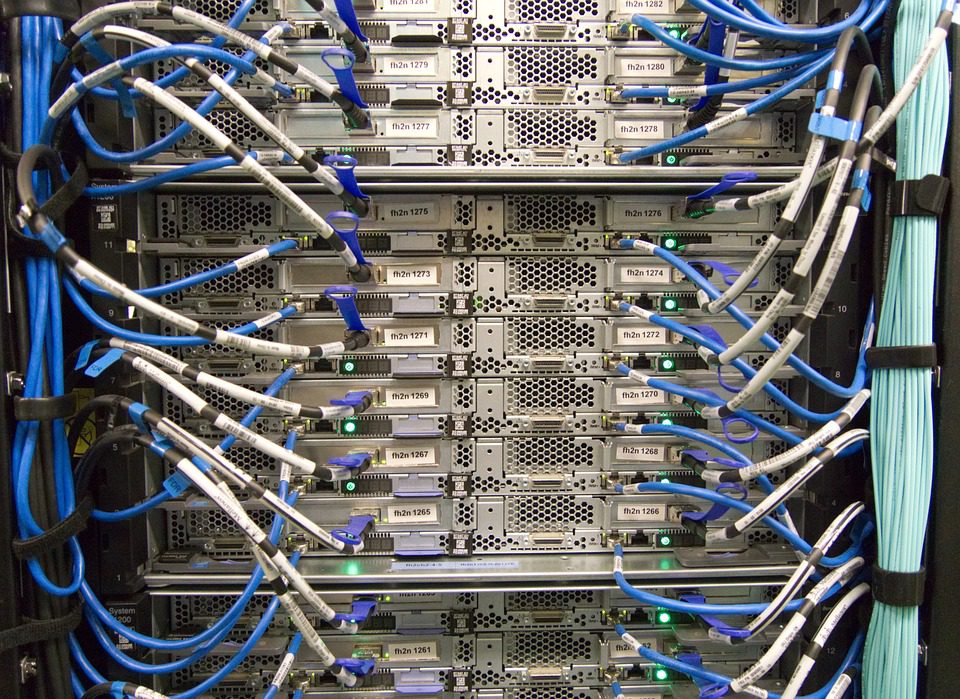
The most overlooked network failure cause is the physical layer. A marginal SFP+ module, a damaged fiber patch, or a copper run near electrical interference produces intermittent packet loss that looks exactly like a software problem and wastes days of troubleshooting. Use vendor-approved optics where possible, keep spares on hand for DAC and fiber cables, and label every run. A $20 transceiver failing at peak play hours costs more in player trust than the spare would have cost to stock.
Monitoring the Network Path
You cannot manage what you do not measure. Three tools cover most game-server network needs. Continuous ping and MTR to key player regions reveal latency and loss trends before players complain. Interface counters (errors, drops, CRC faults) on the NIC expose cabling and duplex problems. Switch port statistics catch the moment a link starts flapping. Set alerts on error counters rather than watching them manually — a rising CRC error count is an early warning that a link is failing.
Baseline everything when the server is healthy. A latency chart that only starts when a problem appears is nearly useless; you need the normal range to know when you have left it. Keep a simple weekly log of intra-region latency, jitter, and loss so you can prove whether a change made things better or worse.
Redundancy: Removing Single Points of Failure
Map your deployment and count the single points of failure. A single power feed, a single uplink, a single switch, a single NIC — each one is a full outage waiting to happen. For a community server, the cheap wins are dual power feeds (offered by most decent providers), a second uplink on a different upstream, and a bond of two NICs on the server. None of these raise peak performance; they raise availability, which for a game community is the metric that actually matters.
What to Demand From a Host
You control the NIC settings; you must verify the rest. Ask a prospective host three questions: what is the switch uplink architecture, is the port 1 Gbps or 10 Gbps with what transfer allowance, and what DDoS scrubbing capacity sits in front of the rack. A provider that answers all three clearly is running real network hardware. For how that translates into the overall hosting decision, our dedicated server hosting overview walks through the full stack.
Treat the network as a first-class part of the server, not an afterthought behind CPU and RAM. Pick the right NIC, bond it where you can, tune RSS and coalescing, and verify the host’s upstream architecture. That is the difference between buying 10 Gbps on paper and actually pushing it with players online.
Related Articles:
 Europe Game Server Locations: Frankfurt vs Amsterdam vs London Latency and Routing Benchmarks
 How to Automate Game Server Backups: Scheduling Restarts and World Saves Without Player Downtime
Gaming Server Specs That Actually Matter: CPU, RAM, Storage, and Bandwidth Benchmarks
Palworld Dedicated Server: Hardware Specs, Setup, and Optimization for 32 Players
How to Automate Game Server Backups: Scheduling Restarts and World Saves Without Player Downtime
Gaming Server Specs That Actually Matter: CPU, RAM, Storage, and Bandwidth Benchmarks
Palworld Dedicated Server: Hardware Specs, Setup, and Optimization for 32 Players
Leave a Reply
You must be logged in to post a comment.