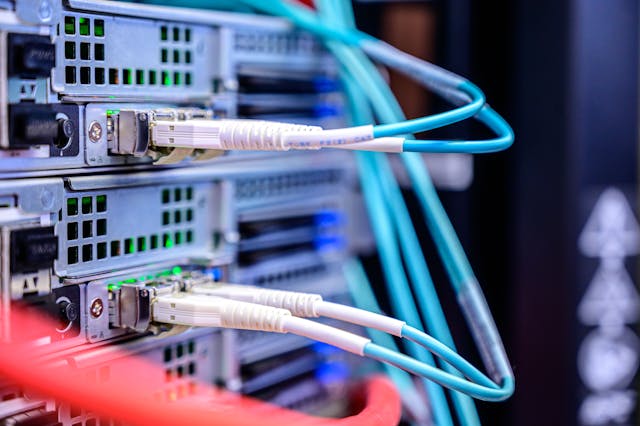
Dedicated CPUs move slowly and then all at once. A Xeon E5-2620 v3 from 2014 and an EPYC 9355 from 2024 sit in the same rack category at many providers, but they are not the same machine. This page tracks the concrete numbers that matter when you rent or buy one: single-thread performance, memory channels, memory generation, PCIe lane count, and watts per core. If you are comparing plans, start with the provider list of dedicated server hosting options and then map each plan to a CPU model rather than a core count.
Single-thread progression across a decade
The Xeon E5-2620 v3 ran at 2.4 GHz base with 3.2 GHz turbo and scored roughly 1,100 to 1,250 in PassMark single-thread at launch. A Xeon E-2388G lands around 3,200 single-thread; an EPYC 4464P or Ryzen 9 7950X lands near 4,200 to 4,300. That is roughly a 3.4x to 3.7x single-thread gain in ten years. For a single-threaded PHP worker or a Minecraft/CS2 tick loop, that ratio is the real upgrade.
Peak frequency stopped climbing with the same slope. The E5-2620 v3 turbos to 3.2 GHz, second-generation EPYC 7002 mainstream parts to about 3.4 GHz, and EPYC 9005 parts to 4.5 GHz. Most single-thread gain after 2019 came from IPC, not clocks. A 2019 EPYC 7402 and a 2024 EPYC 9254 both run near 3.5 GHz but differ by roughly 40 percent in single-thread score.
Memory channels and DDR4 versus DDR5
Xeon E5 v3 and v4 are quad-channel DDR4 with a hard ceiling of 2,133 to 2,400 MT/s depending on DIMMs and SKU. EPYC 7002 and 7003 are eight-channel DDR4-3200, which doubles both channel count and bandwidth per core. EPYC 9004 and 9005 move to twelve-channel DDR5-4800 and DDR5-6000 respectively on the top SKUs. The naive bandwidth for a single E5-2620 v3 socket is 68 GB/s; for a full twelve-channel EPYC 9005 board it exceeds 600 GB/s.
Channel count is often the limiting factor before core count. A 64-core EPYC 7702 with eight populated channels gives about 12 GB/s per 32 threads if you run a memory-bound build; the same core count on twelve-channel DDR5 gives roughly three times that. If your workload is Redis, a JVM with a large heap, or a database with a hot working set, plan for at least one DIMM per channel, and never buy a populated board that was half-filled by the previous tenant.
DDR4 versus DDR5 on the used market
Registered DDR4-2666 is now roughly a third of the price of DDR5-4800 RDIMMs at the same capacity, so a 512 GB build on an E5 v4 chassis costs far less than the same capacity on EPYC 9004. If your workload is memory-capacity bound, such as a large Redis instance or an in-memory cache, the older platform’s lower bandwidth is irrelevant because you never saturate the channels.
DDR5 wins when you need bandwidth per core. EPYC 9005 at 600 MT/s per channel gives roughly 2.5 times the per-core bandwidth of a DDR4-2400 quad-channel Xeon E5, and the gap widens as core count rises. For workloads that touch large arrays at random, the latency improvement from DDR5 is around 10 to 15 ns, which is measurable in a database workload but rarely the dominant factor.
PCIe lanes: the quiet differentiator
The E5 v3 platform gives 40 PCIe 3.0 lanes per socket. EPYC 7002 and 7003 give 128 PCIe 4.0 lanes per socket. EPYC 9004 and 9005 give 128 PCIe 5.0 lanes, with up to 160 in some dual-socket configurations. At the board level, the practical difference shows up when you want two NVMe drives in RAID 1 plus a 25GbE NIC plus an HBA. On an old Xeon board you will usually be forced to run the NIC at x8 or share lanes through the chipset, which adds latency.
PCIe generation also sets the per-device ceiling. A PCIe 3.0 x4 NVMe slot tops out near 3.5 GB/s; the same drive in PCIe 4.0 x4 reaches 7 GB/s and in PCIe 5.0 x4 around 14 GB/s. A single 25GbE port needs about 6.25 GB/s of lane budget to be non-blocking, which is why 25GbE and PCIe 3.0 coexist awkwardly.
Power draw and rack density
Idle power explains why old servers are cheap. A single-socket E5-2680 v3 machine idles near 90 to 110W at the wall with a few drives, and a loaded dual-socket E5-2699 v3 box can pull 380 to 450W. A single-socket EPYC 9355 server idles around 70 to 85W and peaks near 400W while doing three to four times the work. Per-core power on the 2014 parts is 8 to 12W; on EPYC 9005 it is closer to 2 to 3W at reasonable utilisation.
Providers pass power cost into the monthly fee, which is why a 2014 chassis at 50 EUR already accounts for 60 to 100 kWh at typical load. Where the old chassis wins is in rack space: one 1U box with 24 to 32 cores at a low monthly rate is still cheaper than four cloud instances of equivalent thread count for a steady-state workload.
Benchmarking methodology that holds up
Run three tests before you trust any vendor benchmark: a single-thread integer loop (sysbench cpu –threads=1), a memory bandwidth test (sysbench memory –memory-block-size=1M), and a mixed workload that matches production. Normalise results per euro per month, not per core. A 16-core EPYC 9254 at 150 EUR is only worth it over a 24-core E5-2690 v4 at 90 EUR if your workload has enough parallelism to use the extra per-thread speed.
Take at least two runs, pin threads with taskset to avoid scheduler noise, and record NUMA topology with numactl –hardware. EPYC 7002 and 7003 show multiple NUMA nodes per socket under NPS1 or NPS4, and EPYC 9004 and 9005 change their memory interleave with the NPS setting in BIOS. A benchmark that ignores NUMA placement can understate a 9005 part by 15 to 25 percent. Pin memory with numactl –membind to the node that owns the NIC’s PCIe bus, or the network interrupts will cross nodes.
When buying old hardware is rational
Old hardware is the right answer for steady-state, horizontal-scale workloads: static file servers, media transcoding fleets with batch queues, CI runners, and low-traffic multi-tenant panels. The E5 v3 and v4 parts are also fine for anything where RAM capacity matters more than speed, because DDR4 ECC RDIMMs are now inexpensive and 256 GB in an old chassis is cheap relative to a new EPYC build.
New hardware wins when any of four conditions hold: the workload is single-threaded and latency-sensitive, it needs PCIe 4.0 or 5.0 bandwidth for NVMe or 25GbE, it needs more than 8 channels of memory bandwidth, or it runs at high utilisation long enough that the per-core power difference dominates the monthly price. Most game servers and PHP stacks fall into the first category. Most storage fleet and batch jobs fall into the old category.
A practical upgrade map
If you are on a 2014 dual E5 chassis and running a web stack, the single most effective upgrade is one modern single-socket EPYC 7003 or EPYC 9004 box with the same or fewer cores. You will usually see two to three times the requests per second at roughly the same or lower monthly cost. If you are on 2017-era Xeon Scalable and your limit is memory bandwidth, jump two generations rather than one; the channel count is what changes.
Before signing, ask for the exact CPU model, memory population (DIMM count and speed), PCIe generation and lane allocation, and the provider’s BIOS power profile. You can compare current offers on the best dedicated server plans page and cross-check each CPU against the benchmarks above. The gap between 2014 and 2024 is not incremental, but for the right workload the old chassis is still the better purchase.
Leave a Reply
You must be logged in to post a comment.