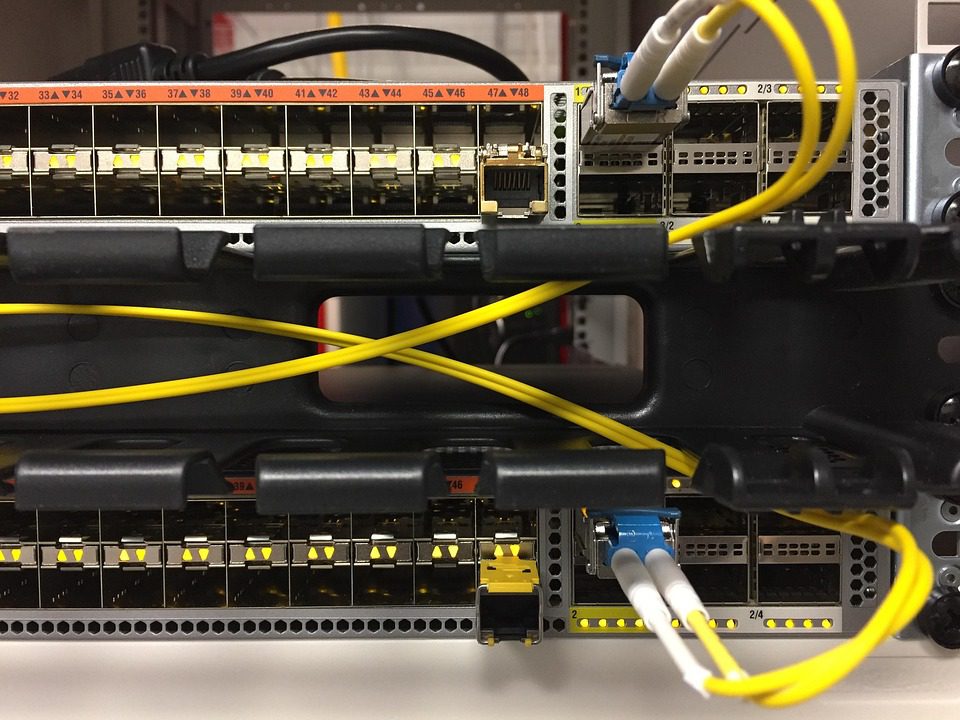
Most dedicated server horror stories start the same way: a price that looked excellent, a support channel that answered instantly during the sales call, and a server that later turned out to belong to a company three levels up a resale chain. When the hardware fails, the reseller cannot dispatch a technician because they do not own the rack. When the upstream has a routing incident, the reseller finds out from their own customers.
Due diligence is the process of finding out what you are actually buying before money changes hands. The eight checks below are ordered from cheapest to most expensive to run, so you can eliminate weak candidates early and spend real effort only on the final two or three.
Check 1: Who Is the Legal Entity Behind the Invoice
Ask for the registered company name, registration number and country of incorporation, then verify them against the relevant public register. A trading name is not an entity. If the invoice comes from a company in a different jurisdiction than the data center, that is not automatically a problem, but it tells you who to pursue if things go wrong.
Watch for providers who cannot issue an invoice with a VAT number, who insist on payment through a personal account, or whose terms of service name a different company than the website footer. Any of those three signals a reseller relationship at best and a fly-by-night operation at worst.
Check 2: The Actual Facility and Its Tier
A genuine host knows the name of the building their hardware sits in, the city, and the redundancy design. Ask directly: which facility, how many independent power feeds, what fuel autonomy the generators have, and whether cooling is N+1. A provider who answers “our own data center” without naming a location or a certification is either very small or not being straight with you.
Facility tier is not a marketing score, it is a statement about redundant paths for power and cooling. A Tier III design with concurrent maintainability is the sensible baseline for production workloads. Cross-check the facility name against the operator’s published customer list where one exists.
Check 3: Carrier Diversity and Peering Depth
Ask for the list of upstream transit providers and the internet exchanges the network connects to. A network with three or more tier-one transit providers and presence at two or more major exchange fabrics is materially more resilient than one buying a single blended feed from a larger ISP.
The follow-up question matters as much as the first: can the provider show you a looking glass or route server? If you can query their routes from your own networks, you can verify claims about latency and path selection yourself instead of taking a sales sheet at face value.
Check 4: Hardware Ownership and Replacement Stock
Ask whether the provider owns the servers or leases them, and whether they hold spare chassis, drives and network cards on site. Ownership is not the point by itself; the point is whether a failed component can be swapped in hours or has to be ordered from a distributor on a four-day lead time.
A well-run host can tell you the typical replacement time for a failed disk or power supply. A reseller will usually answer with a vague promise to escalate, because escalation is all they can do.
Check 5: Remote Management and Reinstall Control
You should get IPMI, iDRAC or an equivalent out-of-band console with virtual media, plus the ability to reinstall the operating system yourself. If reinstalls require a ticket and a business-day turnaround, the provider is treating a basic administrative capability as a premium feature.
Confirm the console is on a separate management network that stays reachable even when the host operating system is unbootable. That single detail decides whether a kernel panic costs you ten minutes or ten hours.
Check 6: Network Abuse Policy and DDoS Reality
Read the acceptable use policy for the specifics: what triggers a null route, how long a null route lasts, whether inbound filtering is always on or on demand, and whether mitigation is included or billed per incident. Providers that null-route on the first small flood and charge for cleanup are expensive in practice even when the base price looks low.
Ask what their largest mitigated attack was and whether scrubbing happens inline or by rerouting. For game servers and public web properties, always-on inline filtering with a documented threshold is the configuration you want.
Check 7: Contract Terms, Notice Periods and Price Escalation
Get the minimum term, the notice period, the renewal mechanism and the price adjustment clause in writing. Some contracts auto-renew for twelve months with sixty days’ notice, which is easy to miss. Others allow annual increases tied to an index, which may be reasonable but should be disclosed up front.
Also confirm what happens on cancellation: when is data wiped, can you get a final backup, and is there a migration window. A provider that offers a documented exit process is usually confident about retention, while one that will not discuss exit is telling you something.
Check 8: Support Staffing Model and Escalation Path
Ask whether support is in-house or outsourced, whether engineers are on site around the clock, and what the difference is between a sales response and a technical escalation. Test it before you buy: send a technical question at an awkward hour and see whether the answer comes from someone who understands the stack.
The strongest signal is specificity. Engineers who can describe their own failover procedure, their drive replacement workflow and their last incident review are operating the platform. Resellers describe the platform someone else operates. When you shortlist candidates, compare their answers to these eight checks side by side, then review the dedicated server hosting overview and the available server plans to confirm the hardware and term structure line up with what they told you in writing.
Related Articles:
 How to Evaluate Dedicated Server Hosting Providers for Gaming: Performance Benchmarks and Selection Criteria
 How to Score Game Hosts by Hardware Specs, Not Monthly Price
 Dedicated Server Hosting for Competitive Online Gaming Leagues: Tournament-Ready Infrastructure Standards
 High-Traffic Dedicated Server Hardware in 2026: The Six Specs That Decide Your Real Capacity
Leave a Reply
You must be logged in to post a comment.